
Tynkr
Forge
Inventory, orders and invoicing for a small shop, with no monthly fee.
See it.
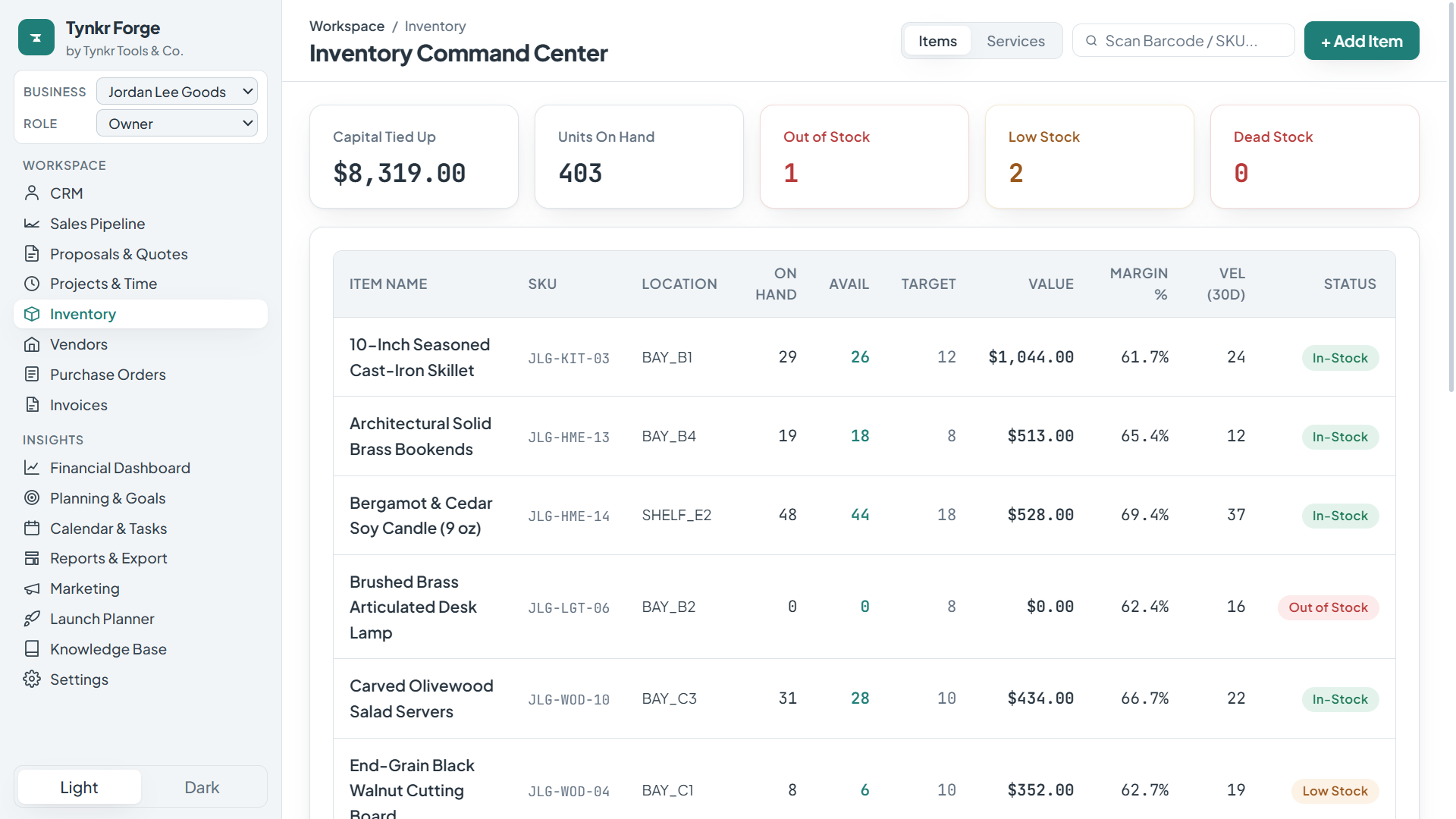
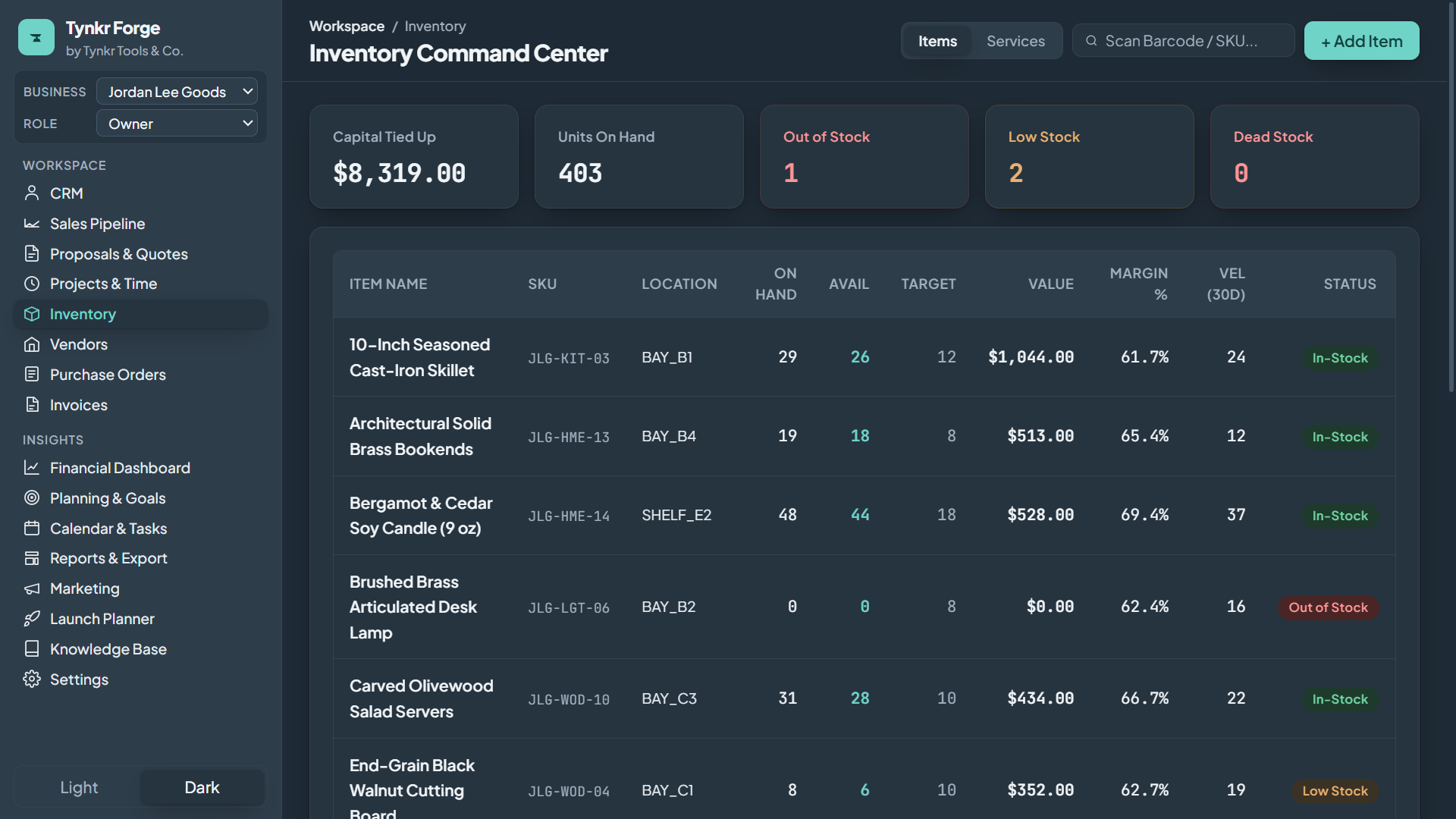
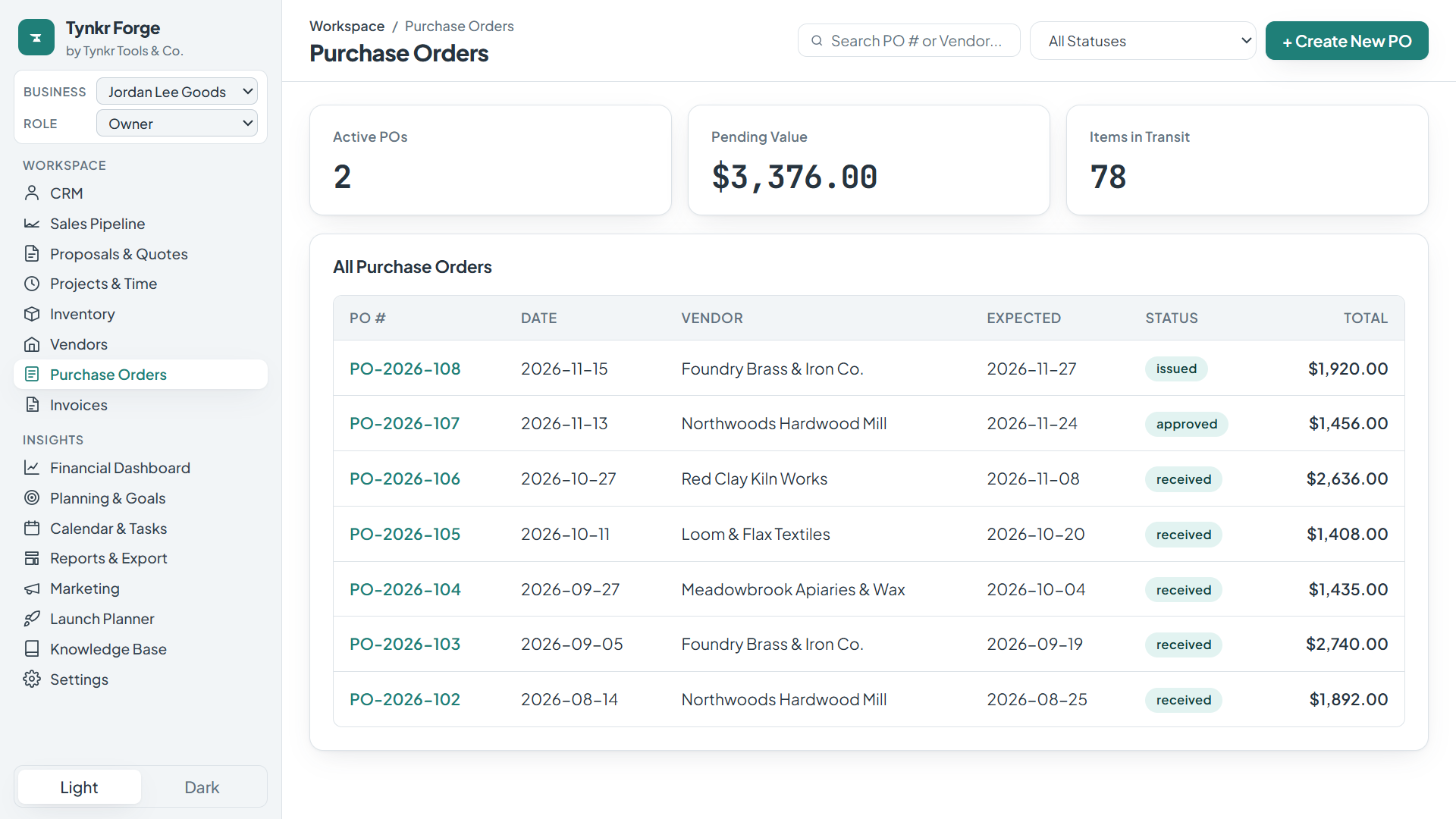
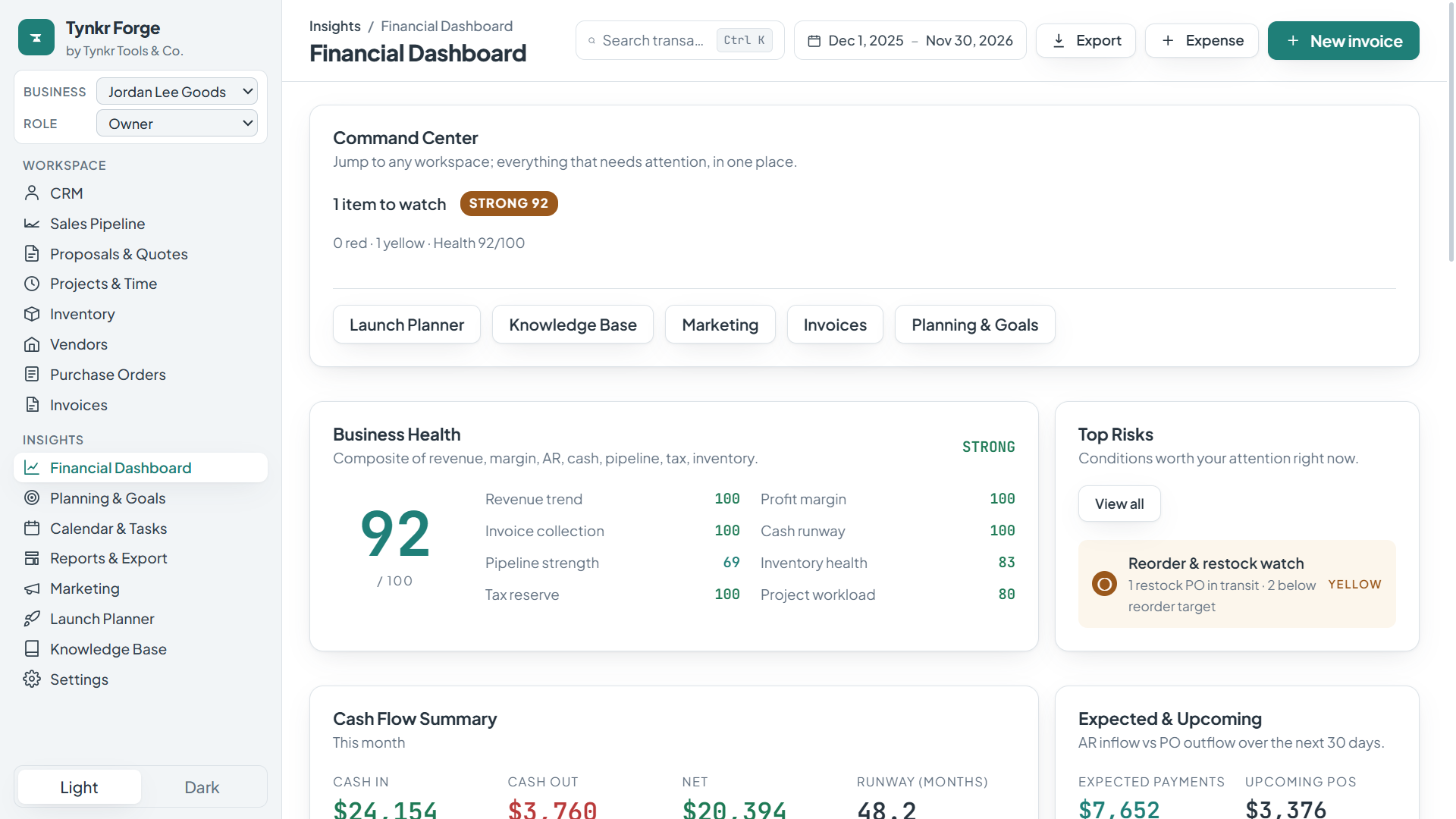
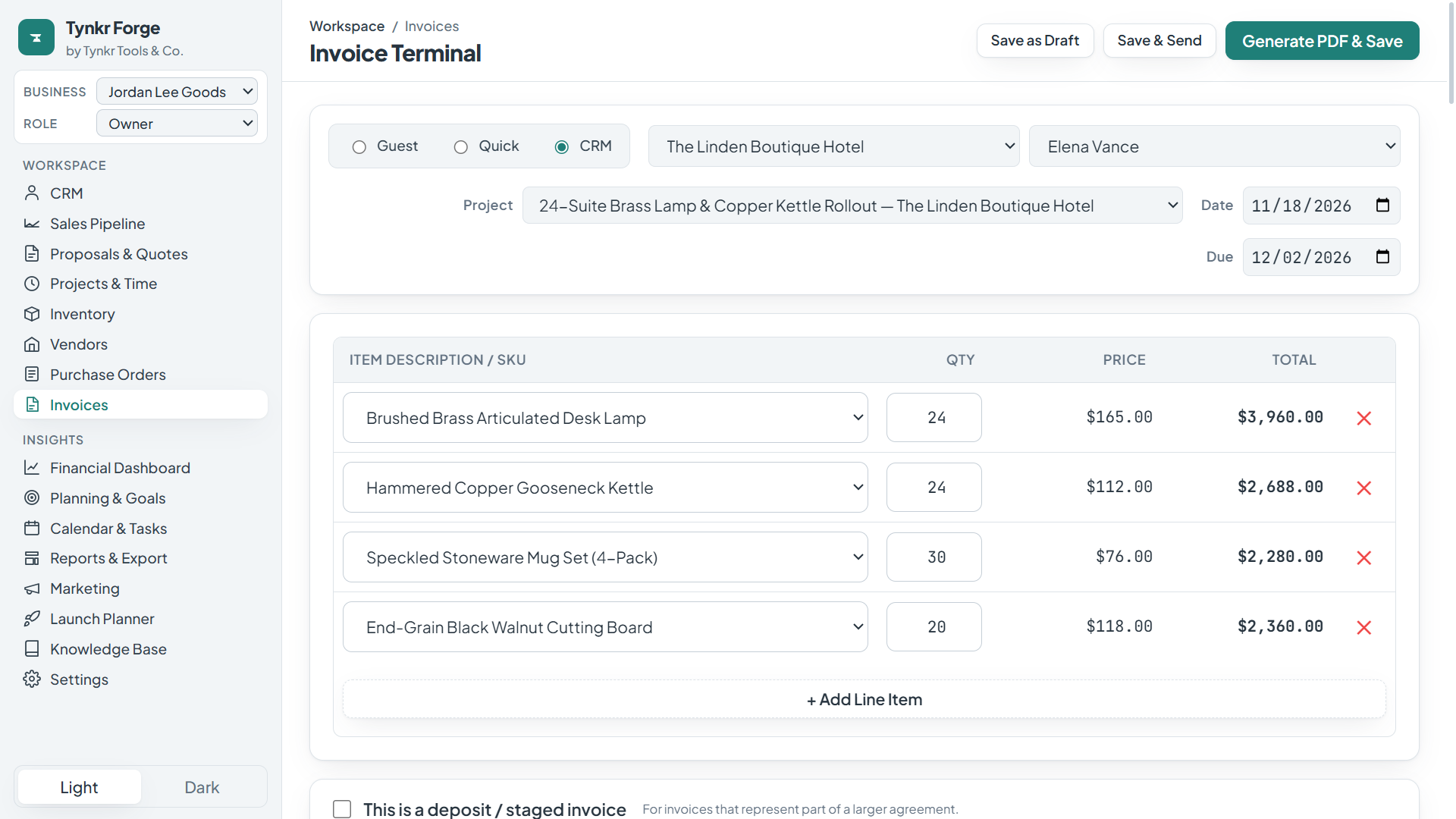
ScreenshotsReal screens from Tynkr Forge. Select any one to see it full size.
What it does.
FeaturesKnow what’s on the shelf
Every item with its SKU, location, and on-hand count. Set a reorder point and a reorder quantity for each one, and anything that dips below its target is flagged as low stock — before a customer finds the empty shelf.
What you ordered, on the record
Keep your vendors on file and raise purchase orders with line items and delivery status, saved as a PDF to send. Receive an order and the stock counts update — so what you’re owed and what you owe never lives in an email thread.
Every customer, every conversation
Contacts, companies, and a running history of touchpoints, plus a sales pipeline that moves each deal from first conversation to won. Who you talked to, what you promised, when to follow up — without renting a $99/seat pipeline tool.
From pitch to project, tracked
Proposals with scope, pricing, and status — sent, viewed-by-you-know-when, accepted. Won ones convert to invoices without retyping.
Invoices out, excuses gone
Numbered invoices with line items, terms, and due dates, saved as a PDF you send however you already email. Statuses move from draft to sent to paid, and the outstanding total is always one glance away.
Hours in, invoice out
Run each job as a project with its deliverables, and log hours as you go — billable or not. A won proposal becomes a project, and a finished project becomes an invoice, without retyping.
The whole shop on one screen
Revenue, cash flow, what’s expected and coming up, and the top risks — like stock below its reorder point — in one view. Save it as a PDF when you want a snapshot.
Signed, dated, findable
Track every agreement with parties, dates, an optional renewal date, and the document itself — all in one place instead of a downloads folder.
Tax season, pre-survived
Log expenses with categories and attach the receipt image right there. Come April, filter by category and export — done.
How your data lives.
Open formatsForge writes one flat JSON file per module — inventory, vendors, purchase orders, contacts, proposals, invoices, projects, contracts, expenses — plus a vault folder where receipts and documents sit as ordinary files. Your business records are yours, greppable, and portable.
No proprietary database. No export fee. No account standing between you and your own files. If Forge disappeared tomorrow, this folder still works.
Fair questions.
FAQCan Forge send invoices by email?
Forge generates the invoice as a PDF you send however you already email — it doesn’t send mail itself or route your client data through any server.
Where does my business data live?
In flat JSON files on your disk — one per module — plus a vault folder where receipts and documents sit as ordinary files. Back it up with whatever you already use.
Can multiple people use it?
Forge is built for solo owners and works on one machine at a time. Because the data is flat files, you can share the folder between machines with your own sync — but there’s no multi-user server, by design.
Is there a subscription?
No. Forge is a one-time purchase when it launches. Bug fixes are always free; major version upgrades are a separate purchase. No account, no recurring billing.
Does it work offline?
Yes. The app needs no internet connection and makes no network calls of its own. Updates arrive through the Microsoft Store when you're online.
Want to know when Forge launches?
We'll send one email.
Join the Tynkr list on Substack — we'll tell you the day it ships, and share what we're building along the way.
✓ You're on the list. One email, when it's ready. That's it.
Something went wrong — nothing was sent. Please try again, or email support@builtbyjoshstudio.com.
Free on Substack · one-click unsubscribe anytime
More from Tynkr.
The suite
Budgets, bills, debt payoff, and net worth — on your own disk.

Notes in plain Markdown files you own, with tasks and weekly reviews built in.
Mortgage math, cash-to-close, and the whole purchase mapped.

EPUB 3 ebooks, KDP print PDFs and author-site pages from your manuscript.
 TYNKR TOOLS & CO · BUILT BY JOSH STUDIO